
World of Warcraft housing arrives after 20 years, and it is more comprehensive than expected
20년 만에 열리는 와우 하우징, 생각보다 본격적이다
2025.08.23 02:28 UTC+9

AI Summary
World of Warcraft is finally adding player housing after 20 years. The demo showcased intuitive controls, deep customisation, and room expansion tools. The feature arrives in the Midnight expansion in the first half of next year.
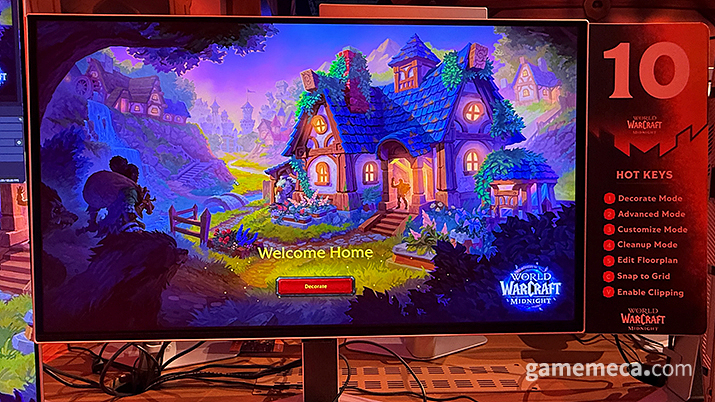
The romantic ideal of an MMORPG often boils down to living the life you want while rubbing shoulders with others, and yes, that includes getting on the property ladder. Even in a virtual space, there is something uniquely satisfying about carving out a cosy nook and decorating it to reflect your personal taste. Plenty of other titles, such as Final Fantasy 14, have already dipped their toes into housing, and it’s no secret that many players find themselves completely captivated by the interior design grind.
Now, for the first time in its 20-year history, World of Warcraft is finally opening the doors to player housing. It is a massive deal for the Azeroth faithful, who have long craved a place to call their own. As someone who spends far too much time playing games like House Flipper, I couldn't simply walk past the dedicated housing demo booth at Gamescom 2025 without getting my hands on it.
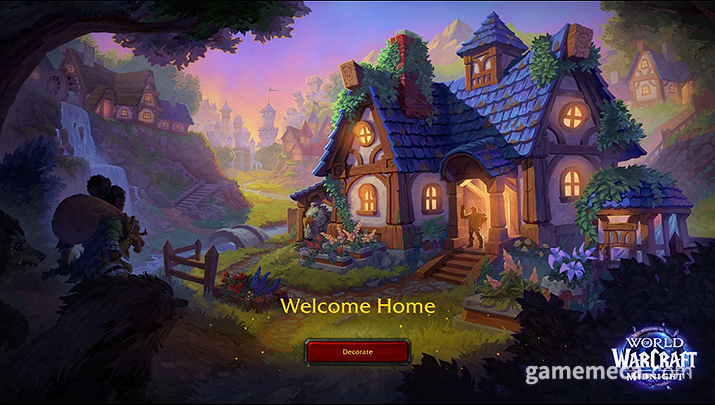
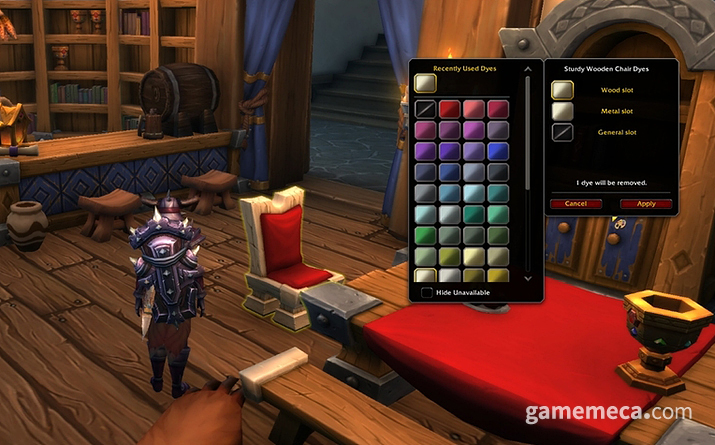
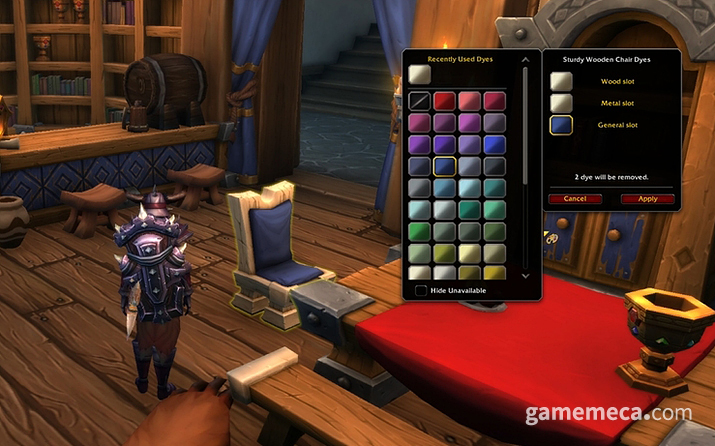
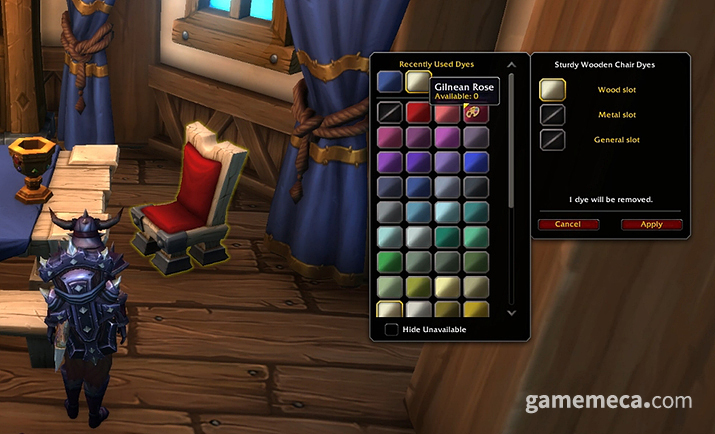
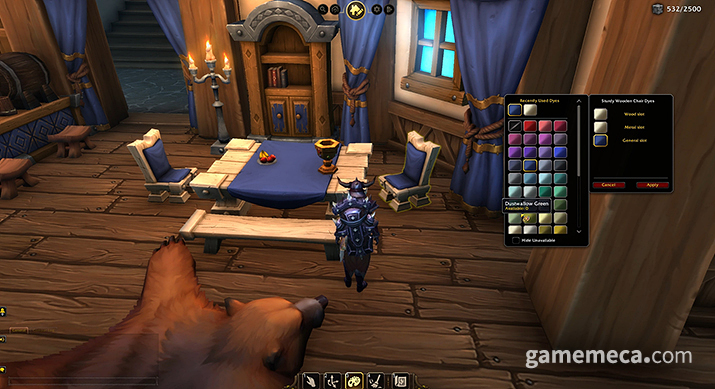
My first foray into World of Warcraft’s housing was surprisingly robust. The demo offered quite a range of features to play with, from dyeing furniture to filling empty walls with windows, doors, or paintings. There’s even support for structural expansion, allowing you to widen rooms or add extra floors.
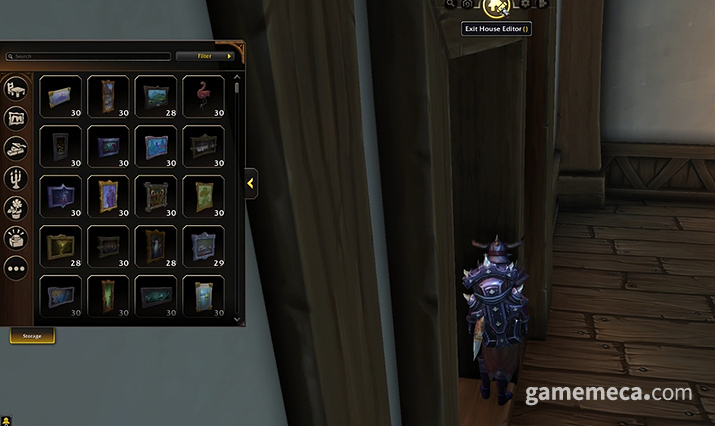
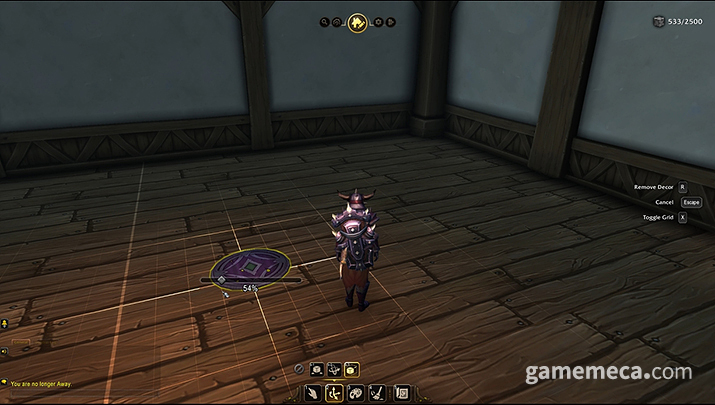
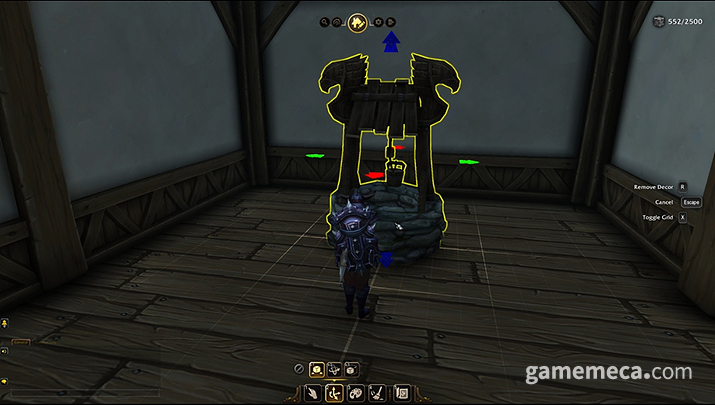
The first thing that struck me was how intuitive the controls are. Once you step inside your home, you simply click 'Housing Edit' at the top centre of the screen to unlock a full suite of customisation tools. Placing items is a breeze, and repositioning them is just as smooth. The system uses colour-coded arrows for the X, Y, and Z axes, making it incredibly easy to snap items exactly where you want them.
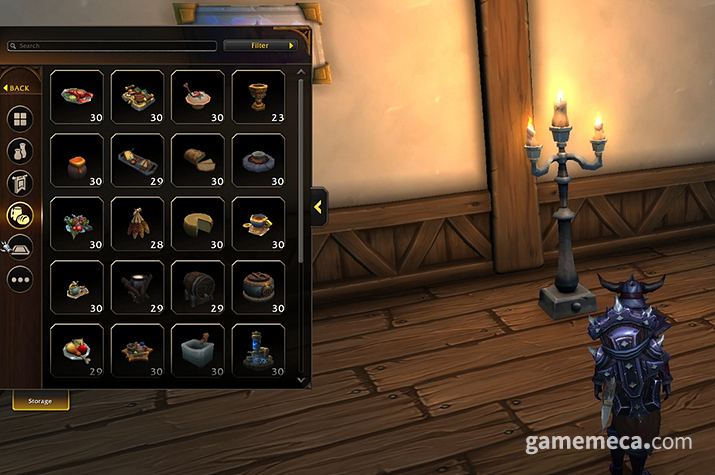
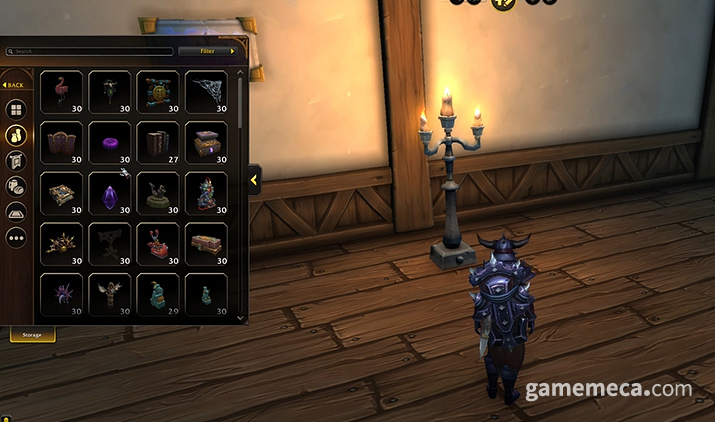
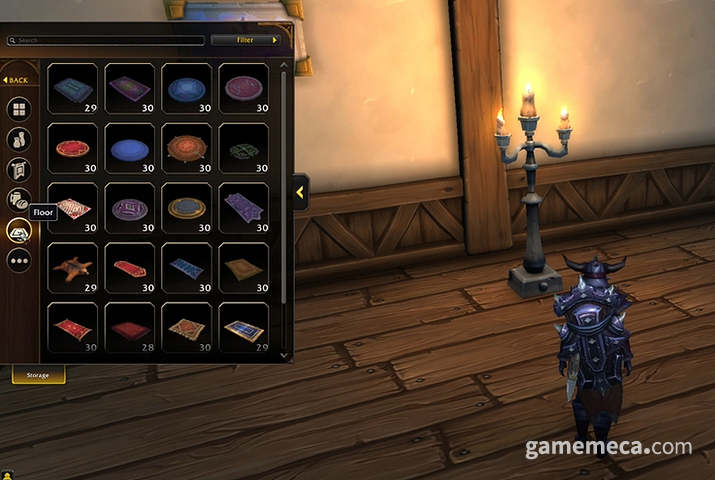
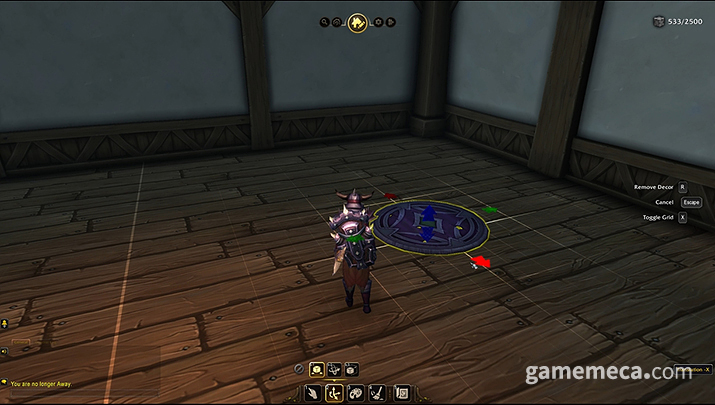
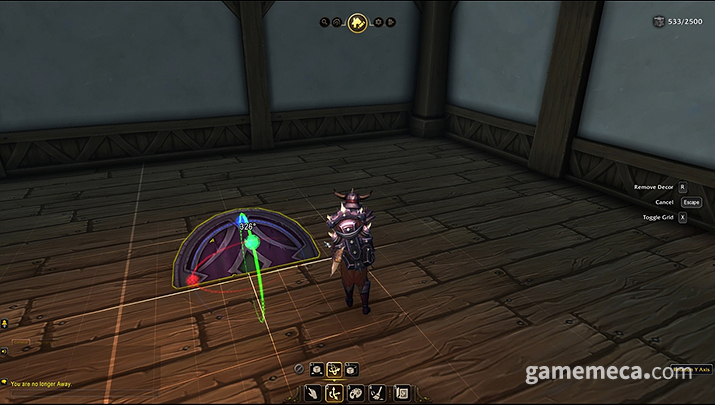
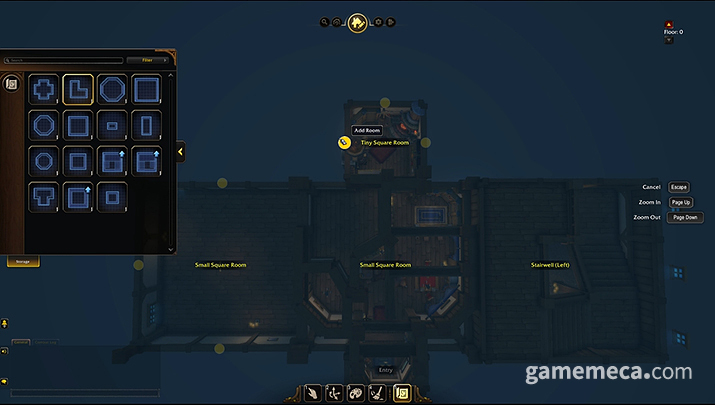
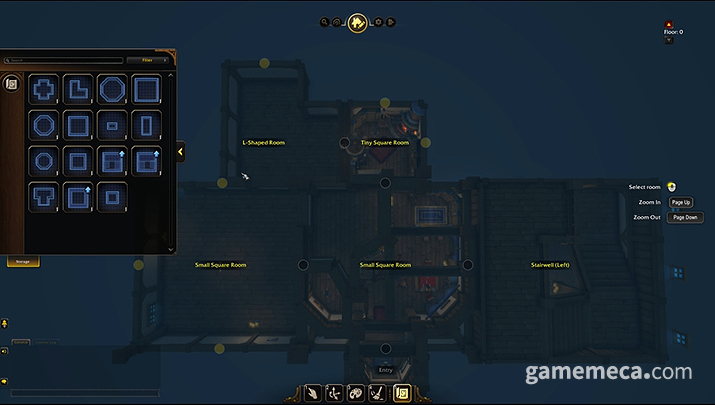
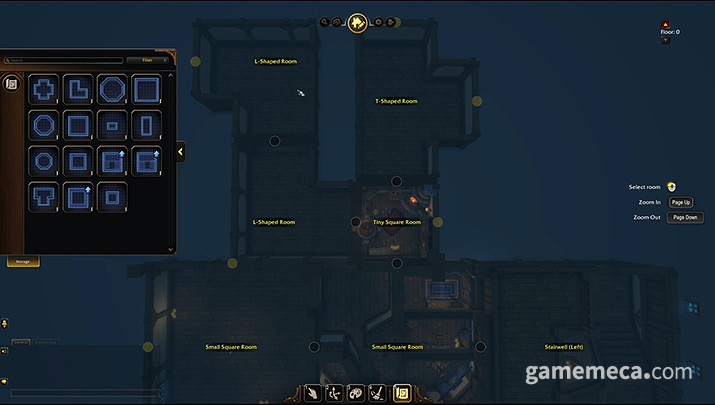
Expanding your home follows that same logic. By selecting 'Edit Floorplan', you get a top-down view of the property to drop in new rooms. The system highlights available expansion points in yellow; click one, pick a room layout from the menu on the left, and it pops right into existence. You can rotate or reposition these extensions just as easily.
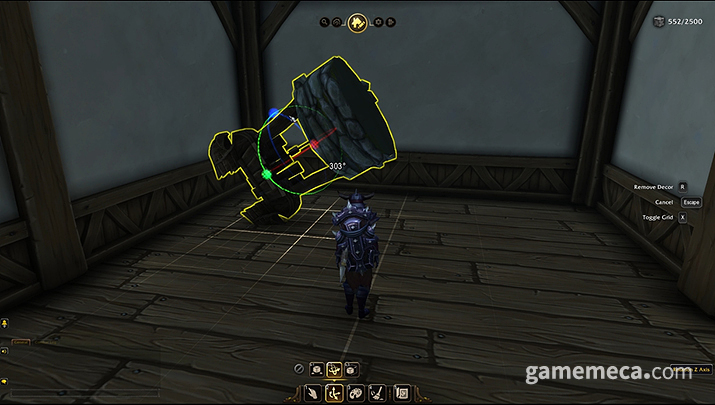
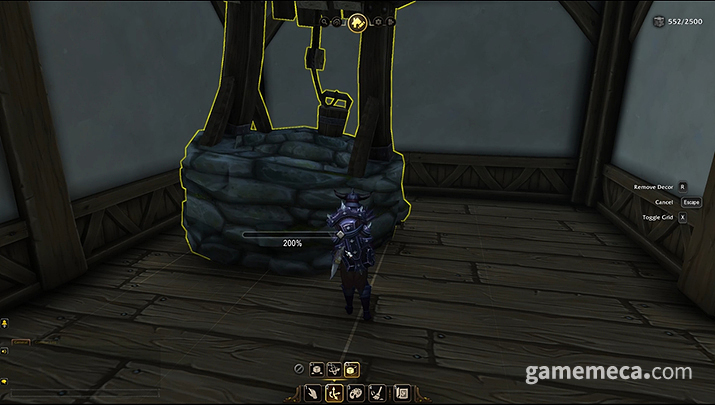
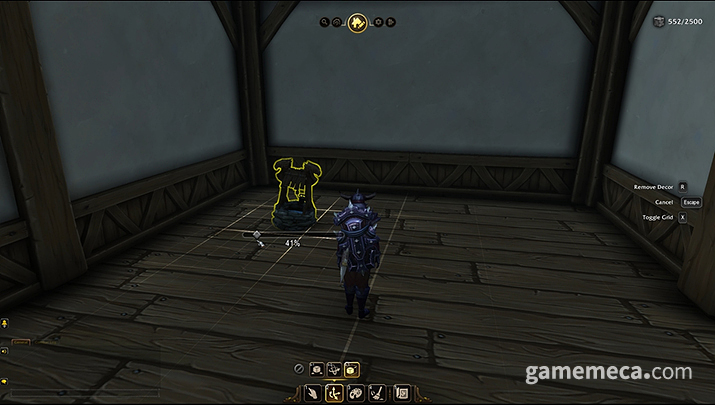
The sheer level of freedom is the real standout. Beyond basic colour swaps for tables or chairs, you can scale objects up or down, or even overlap them by rotating them to create entirely new furniture silhouettes. It feels almost like playing with digital clay, and I suspect the creative types will have a field day with the possibilities.
I’ve had a good look at what’s coming to World of Warcraft, and with its intuitive controls and deep customisation, I have no doubt that players will be sinking hours into their own little corners of the world. I am already looking forward to seeing what the true artisans in the community manage to build. Housing arrives with the new World of Warcraft expansion, 'Midnight', slated for release in the first half of next year.
MMORPG의 로망은 여러 사람과 어울리며 원하는 삶을 살아가는 것이다. 여기에는 내 집 마련도 포함된다. 비록 게임 속이지만 아늑한 나만의 공간을 마련하고, 취향에 맞춰 아기자기하게 꾸미며 보금자리를 만들어가는 기분은 실로 특별하다. 실제로 파이널 판타지 14 등 여러 MMORPG에 하우징 콘텐츠가 있으며, 집 꾸미기에 푹 빠진 유저도 적지 않다.
그리고 출시 후 무려 20년 만에 월드 오브 워크래프트에 하우징이 열린다는 소식이 전해졌다. 광활한 아제로스 대륙에 ‘안락한 나의 집’이 생긴다는 점에 많은 와우저가 환영의 뜻을 밝혔다. 유저 사이에서 관심도가 높은 콘텐츠이고, 기자는 평소에 하우스 플리퍼 등 집 꾸미기 게임을 즐겨 한다. 게임스컴 2025에서 운영 중인 하우징 시연 부스를 그냥 지나칠 수 없었다.
처음 즐겨본 월드 오브 워크래프트의 하우징은 예상보다 본격적이었다. 이번에 공개된 체험판에서는 꽤 여러 가지를 시험할 수 있었다. 집에 놓은 가구의 색을 바꾸는 것부터 문이나 창문, 그림 등을 설치해 허전한 빈 벽을 채워보는 것도 가능했다. 방을 넓히고, 층을 높이는 증축 기능도 포함됐다.
하우징 콘텐츠에 대한 첫인상은 컨트롤이 편하다는 것이다. 집에 들어서서 화면 상단 중앙에 있는 ‘하우징 편집’을 클릭하면 집 꾸미기에 관련된 모든 기능이 활성화된다. 이후 보유하고 있는 아이템을 원하는 곳에 설치하며 공간을 채워나가는 식이다. 이미 설치한 아이템도 옮길 수 있는데, 상하좌우로 매우 부드럽게 움직이며 상하와 좌우를 다른 색의 화살표로 표시해줘 움직일 방향도 쉽게 잡을 수 있다.
집을 증축하는 것도 마찬가지다. ‘에디트 플로어플랜’을 선택하면 집 전체를 위에서 내려다보며 새로운 방을 설치할 수 있다. 방을 증축할 수 있는 곳이 노란색으로 표시되고, 이를 클릭한 후 좌측에 있는 여러 방 중 원하는 것을 고르면 새로운 방이 생긴다. 아울러 방 역시 왼쪽 혹은 오른쪽으로 방향을 돌리거나 위치를 옮길 수 있다.
또 하나 눈길을 끈 점은 자유도다. 의자나 테이블의 색을 바꾸는 것은 기본이며, 크기를 키우거나 작게 줄이는 것도 가능하다. 가구를 이리저리 돌려서 벽이나 바닥에 겹쳐 넣을 수도 있다. 완성된 물건을 색만 바꿔서 꾸미는 것만으로도 분위기가 확 달라지며, 겹치기를 활용해 찰흙놀이를 하듯 새로운 모양을 만들어가는 것도 색다른 재미를 선사할 것이다.
이렇게 월드 오브 워크래프트에 열릴 하우징 콘텐츠를 미리 즐겨봤다. 이해하기 쉽고 직관적인 컨트롤, 자유도 높은 커스터마이징이 결합된 만큼, 정식으로 출시되면 ‘나만의 작은 집’을 꾸미는 재미가 클 것으로 전망된다. 이 분야에 남다른 감각과 손재주를 지닌 ‘금손’ 유저들의 멋진 인테리어도 기대되는 부분이다. 하우징이 포함된 월드 오브 워크래프트 신규 확장팩 ‘한밤’은 내년 상반기에 출시된다.
This news was translated by AI.

Let's not lose our initial resolve. Meticulously, one by one. risell@gamemeca.com


RECOMMENDED NEWS
MOST POPULAR NEWS
- Golden Joystick Awards Nominees Revealed, Crimson Desert Rises in Two Categories
- [G-STAR 26] CDPR Joins, Full Outline of Participating Companies Revealed
- Optimization Issues Lead to 'Mostly Positive' Steam Reception for Silent Hill: Townfall
- Minecraft reveals 'Ice Cave' featuring frozen zombies and crystals
- GTA 6 Collector's Edition Valued at 550,000 Won Announced Without Game Code
- Asian Games South Korean Esports Delegation Secures One Gold and One Silver in Fighting Games and Puyo Puyo
- Celebrating 30th Anniversary, McDonald's Happy Meal 'Pokemon Card' Coming Soon
- Bungie, which resumed Destiny development, also revives Marathon
- Korean-inspired 66th Warframe 'Narin's Ice Sword' Released
- Build A Rocket Boy, Developer of MindsEye, Ultimately Files for Bankruptcy
MEDIA PARTNERSHIPS



GAMEMECA SNS


 GAMEMECA GLOBAL SITE